You can watch TV programs online for free.
Watch TV from all countries of the world for free. You can also use this software as a DVB decoder (satellite TV decoder)
Features of this TV software:
support of the basic types of remote control and possibility of bind keys
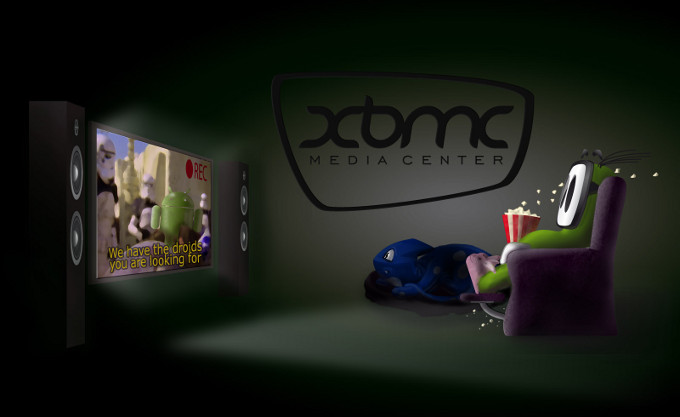
XBMC is another software we're featuring today. XBMC is an award-winning freeware software. It's a multi-format media player. More like a media center with pro TV functionality.
I present to you another cool software. As you know, TechBase always gives you the best software to use. That is why I'm recommending this software after carefully looking into it.
The software is completely freeware so you have a very useful software for ripping your DVDs and it's absolutely free.
WinX DVD Ripper is a totally free DVD ripping software that helps you to backup your DVDs on your computer. This means you can keep your important DVDs safe on your computer hard drive.
This is a cool Freeware software for tweaking the taskbar of Windows 7 and Windows 8. It gives you options like disabling grouping, middle-click to close, and much more.
The Android Ice Cream Sandwich Transformation pack theme for windows is really beautiful. If you have been using the ordinary Windows 7 Theme you should try this theme as it gives your PC a total new look and feel.
See the screen shot below:
If you are a Windows operating system user then you will definitely come across virus infected programs from time to time. You will come across them more often if you make lots of downloads and also if you like to try out new programs(epecially the free ones).
You would also come across them if you have to crack a program using keygen or patches which are widely available on the internet.
I download programs a lot and I also like to try out and discover new and rare programs. Many times, I also have to get the crack of some program because I don't want to buy the product serial key/activation key ;-)
TuneUp Utilities is a great package with lots of features that will benefit your computer system. It is the kind of software I would say should be on your top ten computer software list. I have been using TuneUp Utilities for a long time now and I like it because many of its actions are just automated. It cleans up your registry, automatically defragments your hard disk, automatically frees your disk space and so much more.
This is my own personal review of the top 5 music players on the Windows operating system. I'm making this review based on sound quality and media organization.
The number 1 at the top is Cowon Jet Audio Jet Audio is a nice Media player with a ton of features. It is best suited for audio although it does play videos very well, too.
This morning I wanted to note down something when I was working on my laptop and I did not want to open a new note so I opened the windows gadget menu to bring up the notes gadget but it was not there. I guessed the last time I used it was when I was using Windows Vista so I clicked Get more gadgets and I was surprised at the wonderful gadgets I found in Window's gadget gallery.
Google earth is a software by Google for exploring your environment or wherever you wish in real time. With Google Earth you can:
Fly to any place around the world.
See 3D buildings, imagery, and terrain.
Find cities, places, and local businesses.
A quick look into what Google Earth can do Street View
You can fly from outer space down to the streets with the new Street View in Google Earth 6. Street View has been seamlessly integrated with our 3D environment, so you can experience the streets like never before. In this video you will learn how to navigate in Street View and toggle to ground-level view.
3D Trees
With version 6, you can explore 3D trees in several locations around the world. In the video below you learn how to view trees in 3D and you also get examples of places you can explore.
Historical Imagery
Travel back in time with Historical Imagery in Google Earth.
Navigation
With Google Earth, you can zoom in and explore any location on earth. The video below shows you how to navigate this 3-dimensional, virtual globe with tools such as the zoom slider, sun icon, look joystick, and more.
Searching for Places
Google Earth is an interactive, virtual globe that enables you to find and explore just about any location on our planet and beyond. Find businesses and locations in the Search Panel and save locations in My Places Panel.
Drawing and Measuring
With Google Earth, you can trace and measure just about any place on the planet. In this beginner tutorial, you will learn how to use tools such as Ruler, Polygon, Path, Measurements, Elevation Profile and more.
Placemarks and Tours
With Google Earth’s virtual globe, you can label any location and create tours from your placemarks. Watch this video to learn how to create a custom placemark, save in Places Panel, organize placemarks, play an animated tour of placemarks and find tours in the Earth Gallery.
Exploring Mars, Moon and Sky
With Google Earth, you can fly to the ends of the earth, and beyond. Learn how to explore other planets right in Google Earth.
Moon in Google Earth
Learn how to explore Moon in Google Earth and see Moon related content such as apollo missions, 3D models of spacecrafts, landing sites and narrated tours.




.bmp)


